How to Get Your First Track Listed on Cambrian in Under 10 Minutes
A step by step walkthrough of listing your first AI music track on Cambrian and getting it in front of buyers.
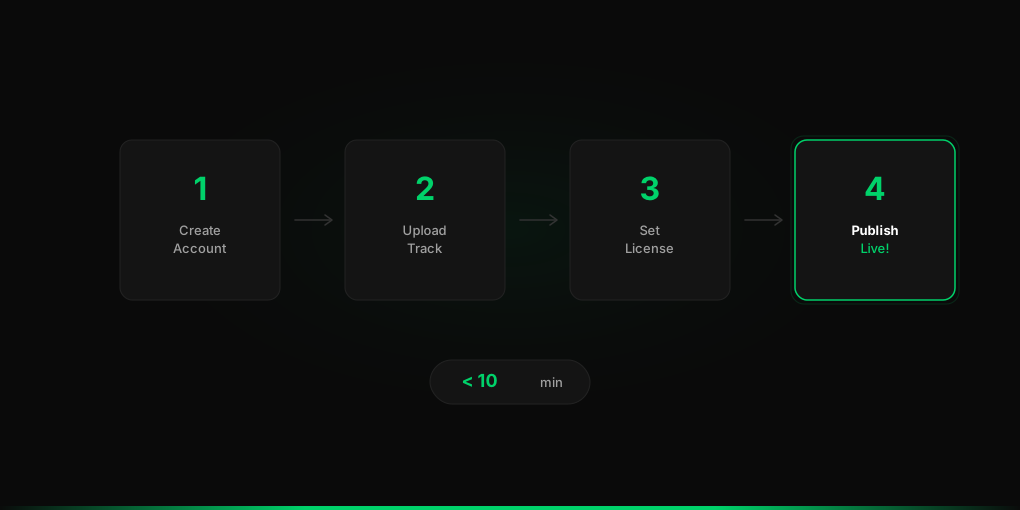
If you’ve been sitting on a catalog of AI music and haven’t listed it anywhere yet, this post is for you. Getting your first track live on Cambrian is genuinely fast — here’s exactly how to do it.
Step 1: Create Your Account
Head to cambrianmusic.com and create a creator account. It takes about two minutes. You’ll set up your creator profile here — this is your storefront, so give it a real name and a short bio that tells buyers who you are and what kind of music you make.
Step 2: Upload Your Track
Click “Upload” and drop in your audio file. Cambrian accepts standard formats and handles the rest. While it’s uploading, fill in the basics — track title, genre, mood, and a short description. Think about what a buyer would search for when they need music like yours.
Step 3: Set Your Licensing and Price
This is where most platforms make things complicated. Cambrian keeps it straightforward. You choose from three license paths:
- Non-exclusive — buyer gets the right to use it, you keep selling it to others
- Exclusive — one buyer gets it, nobody else can license it after that
- Buyout — buyer owns it outright
Set your price for each path you want to offer. You can start simple and adjust later.
Step 4: Publish
Hit publish. Your track is live in the marketplace and buyers can find it immediately. No waiting for approval, no distribution delay.
That’s it. Ten minutes or less and you’re selling.
What Happens Next
Once your track is live, Cambrian shows you analytics — who’s viewing it, what’s getting licensed, and where demand is coming from. Use that data to figure out what to make next.
The creators doing well on Cambrian aren’t just uploading one track and waiting. They’re building catalogs, watching what moves, and making more of what buyers actually want.